


How to Buy $APEING
Updated on: 10/09/2026
The Apeing crypto presale is live. You can buy $APEING through the official Apeing website using a supported cryptocurrency or a Visa or Mastercard.
This guide explains how to buy Apeing, which wallets are supported and what you need to check before confirming your purchase.
Only access the presale through www.apeing.com. Check the website address carefully before connecting a wallet or making a payment.
Prepare Your Wallet
Every buyer needs to connect a compatible Ethereum wallet, including those paying by card. Your purchased $APEING will be allocated to the wallet address connected when your payment is completed.
We recommend using a regular MetaMask or Trust Wallet. Regular Coinbase or Base App wallets, Phantom and other supported standard wallets may also be used.
Do not use a smart wallet or smart contract wallet. The following wallet types are not supported:
- Trust Wallet SWIFT
- Coinbase or Base App Smart Wallet
- MetaMask Smart Accounts
- Wallets created using a passkey
A regular wallet is normally created using a 12 to 24 word recovery phrase. A smart wallet is commonly created using a passkey. If you need to create a new wallet, make sure you select the regular wallet option.
Never share your seed phrase, recovery phrase or private keys with anyone. The Apeing team will never ask you for them.
How to Buy $APEING With Crypto
1. Visit the Official Apeing Website
Go directly to www.apeing.com and click Buy Now.
Avoid presale links sent through private messages, unofficial groups or unfamiliar websites. If a link is not published on the official Apeing website, do not use it.
2. Connect Your Wallet
Click Connect Wallet and select your regular wallet from the available options. Follow the instructions shown by your wallet to approve the connection.
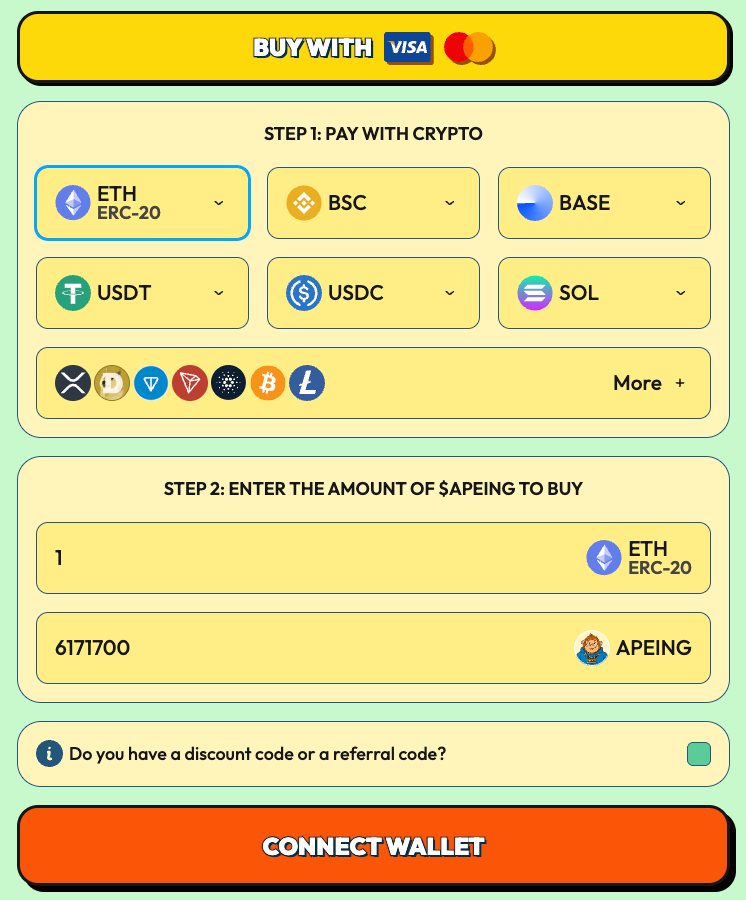
Check the connected address before continuing. You can view the wallet currently connected to the presale by selecting the Apeing logo in the top right corner of the page.

The address you connect is important. Once purchased tokens have been allocated to that wallet, the allocation cannot be moved to another address or changed.
3. Choose Your Cryptocurrency
Select the cryptocurrency you want to use from the options displayed in the presale widget.
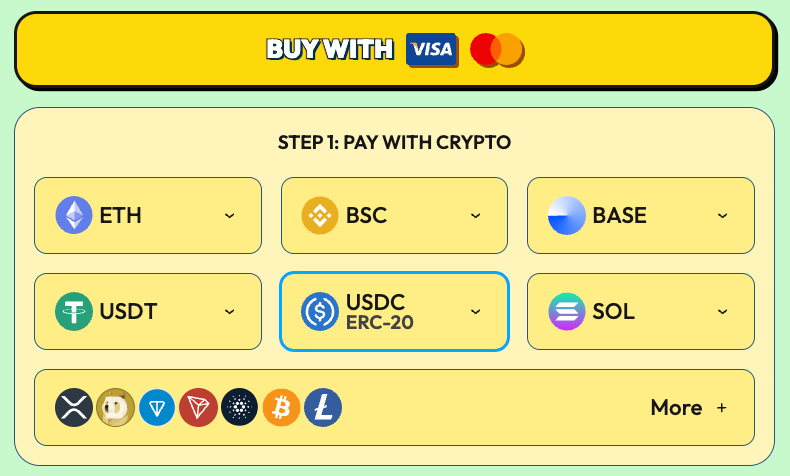
The available payment options may include ETH, USDT, USDC, BNB, BTC, SOL, XRP and other supported cryptocurrencies. Make sure you select the correct currency and network before sending funds.
You may also need enough of the relevant network currency to cover transaction fees.
4. Enter Your Purchase Amount
You can enter either:
- The amount of cryptocurrency you want to spend
- The number of $APEING tokens you want to purchase
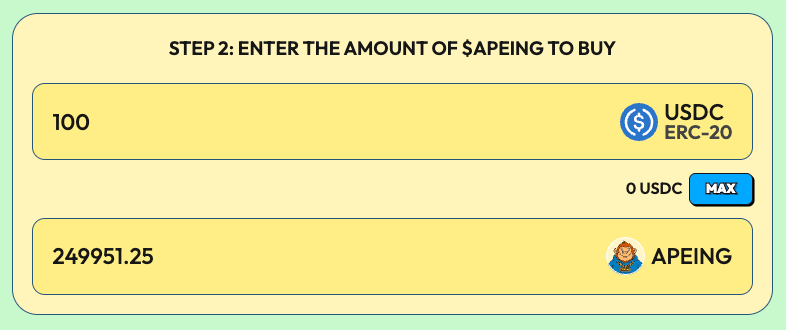
The presale widget will calculate the corresponding amount using the current $APEING stage price.
Check the figures carefully before proceeding. The stage price can change when the current allocation sells out or the next scheduled stage begins.
5. Confirm Your Purchase
Review the cryptocurrency, purchase amount, number of $APEING tokens and connected wallet address.
Click Buy Now and confirm the transaction when prompted by your wallet.
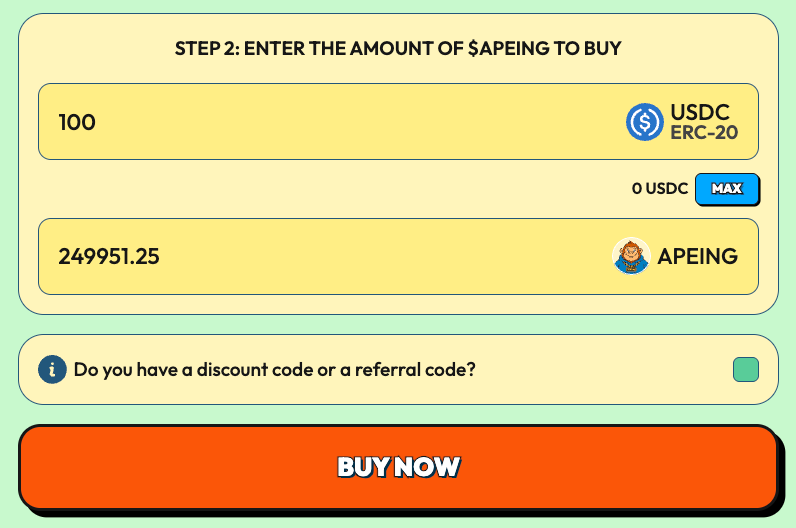
Wait for the transaction to be confirmed on the relevant blockchain. Your purchase will then appear against the wallet address used during the transaction.
How to Buy Apeing With Visa or Mastercard
Buying $APEING by card still requires a regular Ethereum wallet. The wallet is needed because your tokens must be allocated to an address that you control.
To purchase by card:
- Visit www.apeing.com and click Buy Now.
- Connect a supported regular Ethereum wallet.
- Select Card as your payment method.
- Enter the amount you want to purchase.
- Complete the Visa or Mastercard checkout process.
- Wait for confirmation that the purchase was successful.
Your $APEING allocation will be linked to the Ethereum wallet connected at the time of payment. Check that address before completing the card transaction.
Check Your $APEING Purchase
After a successful purchase, your $APEING balance should be recorded against your connected wallet and displayed through the Apeing dashboard.
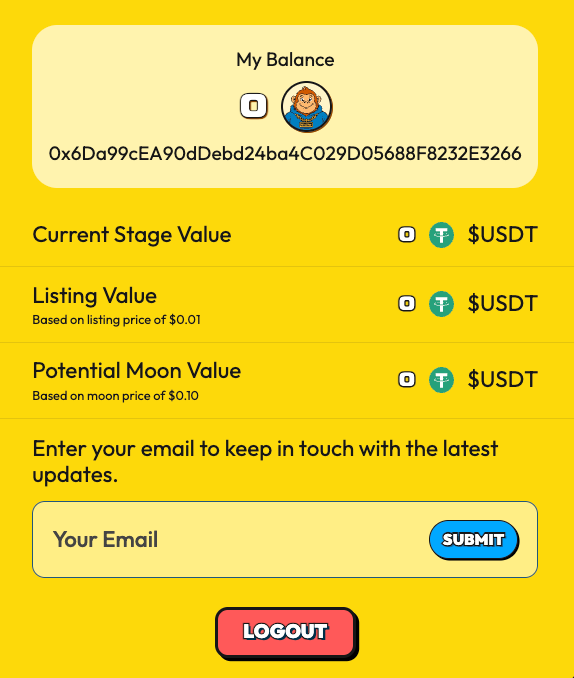
Blockchain confirmations can take time during periods of heavy network activity. Avoid submitting the same purchase repeatedly while an earlier transaction is still pending.
If your payment has been confirmed but your purchase is not displayed, contact Apeing support using the official contact information published on www.apeing.com/contact-us.
Important Wallet Warning
Your $APEING allocation cannot be transferred to a different wallet address during the presale. The Apeing team cannot replace the receiving wallet after the allocation has been recorded.
Use a wallet that:
- You control
- You intend to keep
- Is protected by a secure recovery phrase
- Is not a passkey based smart wallet
Store your recovery phrase offline in a secure location. Never enter it into the Apeing website, send it through Telegram or provide it to someone claiming to offer support.
Official Apeing team members and moderators will never ask for your private keys or recovery phrase.
Official $APEING Contract Address
The official $APEING contract address is:
0x16558C58DfC7641C2b0cAa9EF9B5A188202e0F0E
Do not send funds directly to the contract address. Cryptocurrency sent directly to the token contract WILL be permanently lost and cannot be recovered.
Always complete your purchase through the official Apeing presale widget.
Buy $APEING Through the Official Presale
The Apeing presale moves through a series of stages, with a limited token allocation and a different price at each stage. The live widget shows the current stage price and the amount of $APEING available for your chosen payment.
Visit the Apeing purchase page www.apeing.com/buy-now, click Buy Now and follow the steps above to participate in the live $APEING presale.
Want to know what Apeing means and where the term came from? Read our guide: What Is Apeing? The Meaning Of Apeing In Crypto.
Nothing on this page is financial advice. Digital assets carry risk. Only use funds you can afford to lose. Visit the Disclaimer & Terms And Conditions page for more information.